
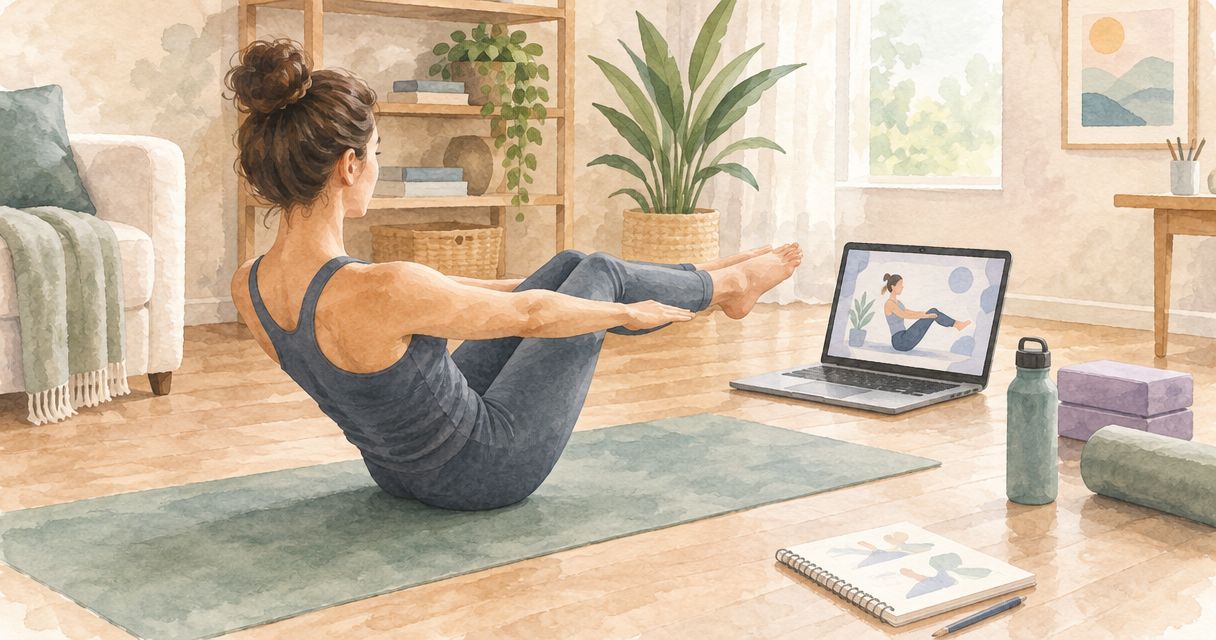
TeachPilates offers $497 tuition and flexible, self-paced online Pilates teacher training; your home study space needs a clear mat area, a reliable way to watch lessons, and somewhere to practice teaching aloud. Set up for study and mat-teaching foundations first, and plan hands-on apparatus training separately rather than treating introductory Reformer concepts as a dedicated apparatus qualification.
- TeachPilates online Pilates teacher training suits aspiring instructors seeking self-paced study in anatomy, mat instruction, cueing, and business skills.
- Separate screen-based study from movement practice, even when both use the same room.
- Test your mat area, device position, and spoken cues before committing to your setup.
- Introductory Reformer concepts do not replace dedicated hands-on apparatus qualification.
Why this matters
Your training space has to support two different tasks: learning material and practicing how to teach it. A desk supports anatomy notes, but it does not tell you whether you can demonstrate an exercise without hitting furniture or hear your own instructions clearly.
TeachPilates online Pilates teacher training is best for aspiring instructors who want flexible, self-paced study. The TeachPilates course covers anatomy, mat and reformer instruction, cueing, and business skills. Choose your setup around those learning tasks, not around recreating a commercial studio at home.
For your 2026 enrollment decision, separate what you need to begin studying from what you need for a particular teaching role. Those are different checklists.
What home study space do you need for online Pilates teacher training?
You need a place to read and watch lessons, a clear area for mat practice, and a way to rehearse instructions without interruptions. These can share one room. The practical test is whether you can move between them without repeatedly dismantling your workspace.
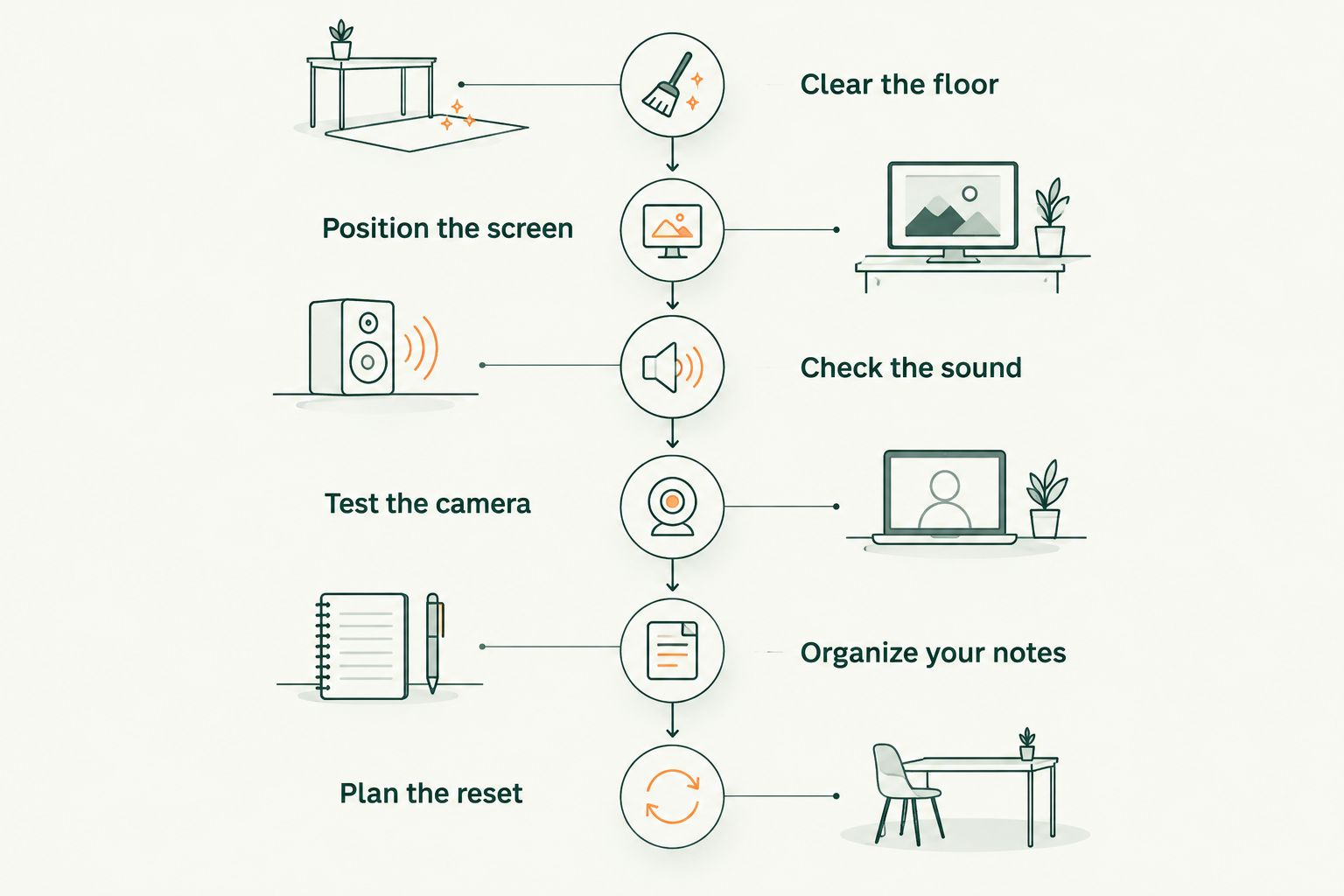
Use this checklist before buying equipment or rearranging your home.
1. Clear the floor
Place your mat where you intend to practice, then check the space around it. Move nearby chairs, loose cables, breakable objects, and anything that blocks your route to the floor.
Check the movements you plan to rehearse rather than relying on the mat's footprint alone. Leave room for your arms and legs to extend without contacting furniture, and check overhead clearance when standing.
- Keep the practice surface stable and clear of loose objects.
- Check that your mat stays in place during the movements you rehearse.
- Keep doors and shared walkways unobstructed.
- Remove pets and household distractions from the practice area during demonstrations.
Your usable practice area is the space your body needs, not just the rectangle beneath your mat. Do not force a movement into a room that cannot accommodate it.
2. Position the screen
Set your device where you can see the lesson before you begin moving. Avoid a setup that requires you to hold a phone while practicing or repeatedly turn your head to follow a demonstration.
Use a stable support and keep charging cables outside the movement area. If one screen position does not work for every exercise, pause the lesson and reposition the device before continuing.
Run a short rehearsal: watch the demonstration, pause it, practice the movement, and return to your notes. The setup should support that sequence without making the screen another obstacle.
3. Check the sound
Play a lesson at the volume you expect to use. Listen from your mat, not only from your chair, and check whether household noise makes the instructions difficult to follow.
Then practice giving your own directions aloud. Quiet reading and spoken teaching are different tasks; a room that works for one does not automatically work for the other.
If you share your home, agree on a period when you can speak without disturbing someone else's work or sleep. Schedule cueing practice for that period rather than leaving it until the end of an already crowded day.
4. Test the camera
If your chosen course requires recorded submissions or remote practical assessments, test the required recording setup before an assessment is due. Ask for the provider's instructions first, including what the assessor needs to see and hear.
For your own practice recordings, check that the relevant movement stays in frame and that your spoken cues are audible. Review the recording rather than assuming the camera captured what you intended.
Protect your privacy, too. Remove personal documents from view and ask anyone taking part before recording them; do not treat permission to practice together as permission to share footage.
5. Organize your notes
Keep anatomy notes, exercise observations, and teaching questions easy to find. Use separate headings or folders so you can return to a topic without searching through unrelated material.
For each exercise you study, record the intended movement, your starting-position instructions, and questions you still need answered. Keep uncertainty visible instead of turning an incomplete understanding into a confident teaching cue.
Your workspace does not need elaborate stationery or another screen. It needs a repeatable way to retrieve the information you are learning.
6. Plan the reset
If the room serves another purpose, decide where the mat, device support, and notes will go after study. Keep the items you use together so the next session does not begin with a search.
Write a short reset checklist: clear the floor, position the screen, check sound, and open the relevant lesson. Use it when you change rooms or return after a break.
A shared room is a workable study choice when you can prepare it consistently. A permanently arranged room is convenient, but it is not a substitute for checking the space before movement practice.
Which home study setup fits your situation?
Choose the arrangement you can use consistently, not the one that looks most like a studio. The comparison below describes workspace choices, not different certification levels or promises about course acceptance.
| Setup | Best for | Main advantage | Main limitation |
|---|---|---|---|
| Shared room | Learners using a living room or bedroom | Uses existing space for study and practice | Requires clearing and resetting before movement |
| Dedicated room | Learners with space they can leave arranged | Keeps notes and practice equipment ready | Still needs checks for clearance, sound, and camera framing |
| Home study plus studio access | Learners planning an apparatus pathway | Separates online study from access to physical apparatus | Requires separate arrangements for access, instruction, and assessment |
Best for most space-constrained beginners: a shared room with a reliable reset routine. Its drawback is the preparation required each time; decide whether that routine fits your household before enrolling.
For a dedicated room, avoid filling the available floor with equipment before you understand your training requirements. For home study plus studio access, confirm that the studio arrangement meets your chosen program's requirements rather than assuming any equipment access qualifies.
Why your home study space requirements vary
There is no single room layout that proves you are ready for every online course. Use these factors to evaluate your setup against the program you are considering in 2026:
- Teaching scope: Mat-teaching foundations and dedicated apparatus preparation involve different practical needs.
- Assessment format: Written work, live demonstrations, and recorded submissions require different arrangements; confirm which apply.
- Household use: A shared room needs an agreed practice window and a reliable reset.
- Learning task: Reading anatomy, watching demonstrations, and practicing spoken cues need different device positions.
- Equipment access: Learning Reformer concepts online is separate from practicing on physical apparatus.
- Provider instructions: Follow the course's actual submission and practical requirements rather than a generic equipment list.
Use this list to identify questions for the provider. Do not turn an unconfirmed requirement into an unnecessary purchase.
Do you need a Reformer at home?
Do not buy a Reformer solely because a course includes Reformer instruction. First establish what the course teaches, what practical access it requires, and what qualification you need for your intended role.
TeachPilates covers mat and reformer instruction within its self-paced course. Distinguish mat-teaching foundations and introductory Reformer concepts from dedicated hands-on apparatus qualification. Studying equipment concepts on a screen does not establish that a particular employer will accept your preparation for apparatus teaching.
If Reformer teaching is your goal, use the Reformer Pilates certification equipment-access guide to structure your planning. Ask about supervised practice, equipment access, practical assessment, and the credential expected by the studio where you want to teach.
Home ownership is a separate decision from training suitability. Establish the pathway before choosing where the equipment belongs.
How should you use the space during a study session?
Treat each session as a sequence rather than keeping a lesson running while you alternate between reading, movement, and household tasks. This suggested routine separates understanding an exercise from practicing how to explain it.
- Study the material. Read or watch the relevant lesson and note its main teaching points. Pause when a term or instruction needs clarification.
- Rehearse the movement. Clear your practice area and work within your current ability. Return to the lesson when you need to check a detail rather than guessing.
- Practice the explanation. Speak your starting-position instructions and movement cues aloud. Listen for directions that are incomplete, contradictory, or difficult to follow.
- Record your questions. Write down what remains unclear and use the support route your provider specifies.
These are 4 suggested study steps, not a statement of course requirements. Keep your own practice notes separate from any official record of observation, practice, or teaching hours.
For your 2026 study plan, choose a routine you can repeat around existing responsibilities. Self-paced study gives you scheduling flexibility; it still needs a deliberate place in your week.
What should you confirm before enrolling?
A suitable room answers the workspace question. It does not answer every enrollment question, so check the following before you commit to online Pilates teacher training.
Prerequisites and teaching scope
Confirm the entry requirements and describe your current Pilates experience honestly. No teaching background is required for TeachPilates, but you should still understand the course's intended scope and how it relates to the work you want to do.
Ask a prospective employer about its requirements directly. Do not assume that completing a course guarantees employment, insurance eligibility, or acceptance at every studio.
Tuition and other expenses
TeachPilates tuition is $497. Build your 2026 decision around that stated tuition, then ask whether anything relevant to your chosen pathway sits outside it.
Check assessment charges, required materials, practical access, and any separate credential you intend to pursue. These are questions to verify, not claims that additional charges apply to this course.
Access, support, and assessments
Self-paced describes how you schedule study; it does not, by itself, establish an unlimited access period. Confirm access duration, extension terms, tutor support, and the assessment format before relying on them in your plan.
Ask what passing requires and how practical skills are evaluated. Do not assume that an independent credential or external examination is included unless the provider explicitly confirms it.
Can you use the same room for study and mat practice?
Yes—you can use the same room for study and mat practice if you can clear it and reposition your device safely. Separate the tasks in your routine even when you cannot separate them physically.
Keep reading materials outside the movement area. Before practicing, check the floor again; a room used by other people changes between sessions.
Should you buy equipment before choosing a course?
Choose the course requirements before buying equipment. Start with a list of what you already have, then compare it with the provider's actual instructions.
For your 2026 enrollment checklist, mark each item as required, useful for your own study, or part of a later training goal. That distinction keeps an introductory learning setup separate from a future apparatus investment.
FAQ
What's the best home setup for online Pilates teacher training?
The best home setup gives you a clear mat area, a stable screen position, audible lessons, and room to practice teaching aloud. Choose a shared or dedicated room based on whether you can prepare it consistently.
How much is TeachPilates tuition?
TeachPilates tuition is $497 for its self-paced online Pilates instructor certification course. Confirm the current enrollment terms and any separate requirements for your intended teaching pathway.
Do I need a separate room to study Pilates online?
You do not need a separate room for the study routine described here. A shared room works when you can clear the floor, position your device, and practice without interruptions.
Do I need to own a Reformer before enrolling?
Do not assume Reformer ownership is required before enrolling. Ask your chosen provider about equipment requirements and distinguish introductory Reformer concepts from dedicated hands-on apparatus qualification.
Can I complete every Pilates assessment from home?
Whether you can complete assessments from home depends on your chosen program's requirements. Confirm written, recorded, live, and in-person components before making your study plan.
Will an online Pilates certificate qualify me for every studio?
An online Pilates certificate does not guarantee acceptance at every studio. Ask the employer about required training scope, practical preparation, and any independent credentials before enrolling.
What should I check about self-paced course access?
Check the access period, extension terms, support arrangements, and assessment deadlines. Self-paced scheduling does not automatically mean unlimited access or unrestricted assessment timing.
One last thing
Rehearse your workspace before you enroll, not just your exercises after you start. Open a sample piece of study material, move from your chair to the mat, speak an instruction aloud, and return to your notes.
Notice every interruption: an unreadable screen, a cable across the floor, a chair that needs moving, or a room where you cannot speak comfortably. Fix those practical problems first. Your study space should support learning to teach, not become another project competing with it.